Features Terera for Windows and Mac
Your words,
over everything.
Terera puts your script on top of the call, the slides or the recording software you already use. Put the reader near your camera. Your clicks pass straight through it to the window underneath.
Watch one take of the real app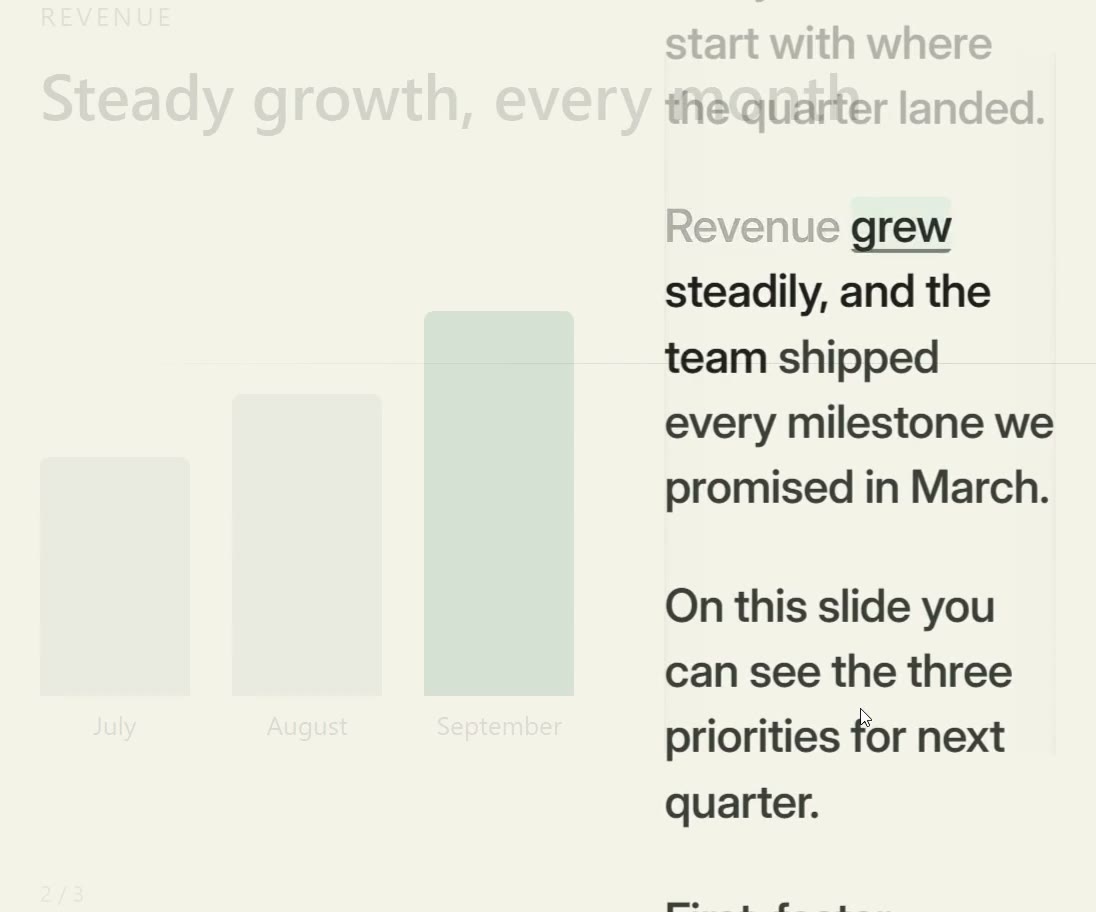
A screen recording of Terera on Windows over a full-screen slide show, following a synthetic voice. Filmed in Rehearse mode with Audience set to 3 or more. Nothing inside the take is cut, re-timed or sped up. Both slide changes are real clicks through the reader.
In this take
- 0:00.3Following “Thanks for joining, everyone.” (follows your voice word by word)
- 0:04.6Silence, 2.5 s (waits when you pause)
- 0:05.6Click It passes through the reader and the slide changes underneath.
- 0:12.7Click The next slide, through the reader again.
- 0:17.4Off script [Sorry, one moment. My coffee cup is balancing right beside the keyboard, which honestly feels risky. Okay, crisis over.]
- 0:21.1Holding Pick up: “First, faster onboarding. Second, clearer” (holds your place when you go off script)
- 0:27.7Following “First, faster onboarding.” (resumes when you return to the script)
- 0:32.8Following “support” lights while the voice says “queue”, and “queue.” lights at 0:32.8, 0.2 s after the voice ends. The recording ends at 0:34.0.
Overlay
The call. The slides. Your words, right there.
Keep the windows you need in front of you. Terera adds a reading layer to the setup you already have.

Real app The overlay toolbar, from the take above
- Practice Leave the overlay for the full controls. Windows Ctrl + Alt + M Mac Control + Option + M
- Next display Send the overlay to the next screen. Windows Ctrl + Alt + D Mac Control + Option + D
- Rehearse or Perform Feedback while you rehearse, a quieter view when you perform. Windows Ctrl + Alt + P Mac Control + Option + P
- Click-through On in this take, so the clicks reach the slide show. Windows Ctrl + Alt + C Mac Control + Option + C
- Screen share Set to “Visible in screen share” in this take, so the recording could show it. On a Mac, many sharing tools capture Terera anyway. Screen-share hiding depends on the capture method your app uses, so check your sharing preview before a live call. Windows Ctrl + Alt + Shift + S Mac Control + Option + Shift + S
- Shortcuts and help The active keys on your computer.
- Minimise Out of the way. Windows Ctrl + Alt + Shift + M Mac Control + Option + Shift + M
- Close Closes the app.
- Pause Start or pause the reader. Windows Ctrl + Alt + Space Mac Control + Option + Return
- Stop End the read.
- Reset Back to the top, paused. Windows Ctrl + Alt + R Mac Control + Option + R
Your words, over the call.
Overlay mode turns the reader into a transparent window over Zoom, Microsoft Teams, Google Meet, your browser or recording software.
Terera follows your voice word by word, waits when you pause, holds your place when you go off script, and resumes when you return to the script.
Windows Ctrl + Alt + M
Mac Control + Option + M
Click straight through.
Advance a slide. Unmute your call. Click-through sends your mouse clicks to the window beneath the reader.
It turns on when you enter overlay mode. Toggle it off when you want to interact with the reader itself.
Windows Ctrl + Alt + C
Mac Control + Option + C
Above the next slide, too.
The overlay stays on top. On Windows that includes a full-screen slideshow, so you can read your notes over PowerPoint without switching back to Terera.
Always on top is part of overlay mode.
Windows Ctrl + Alt + M
Mac Control + Option + M
Choose what you share.
On Windows, switch between “Hidden from screen share” and “Visible in screen share” in the overlay toolbar. On a Mac the switch is there too, but current macOS lets many sharing tools capture Terera anyway. Screen-share hiding depends on the capture method your app uses, so check your sharing preview before a live call.
Windows Ctrl + Alt + Shift + S
Mac Control + Option + Shift + S
Controls
Small controls. Room to think.
Start, pause, move or make space. Click the buttons below to try each control in the illustration.
Keyboard shortcuts are for the installed app. They do not run on this page; use the buttons to try the illustration.
There’s one thing I’d like you to take away.
A timed illustration. Try a control.
An illustration of the controls, not a recording of the app. No microphone is used.
Windows keys first; on a Mac, Control + Option takes the place of Ctrl + Alt, and start / pause is Control + Option + Return. If another app already holds one, Terera uses an alternative where it has one. Open Shortcuts and help with the question-mark button to see the active keys on your computer.
Start. Pause. Take your time.
Start or pause the reader without reaching for its toolbar.
Windows Ctrl + Alt + Space
Mac Control + Option + Return
The play/pause alternatives are Ctrl + Alt + Shift + Space, then Ctrl + Alt + Enter. On a Mac, the alternative is Control + Option + Shift + Space. The first one that no other app holds is used.
Hold that thought.
Freeze stops the script from advancing in voice-following or timed mode. Toggle it again when you’re ready.
Windows Ctrl + Alt + F
Mac Control + Option + F
Another screen? Take your words.
With more than one display, send the overlay to the next screen. Keep it where you need your words.
Windows Ctrl + Alt + D
Mac Control + Option + D
A little more space.
Minimise Terera when you want the window out of the way, without clicking the overlay.
Windows Ctrl + Alt + Shift + M
Mac Control + Option + Shift + M
Made for your rig.
Mirror mode flips the text for a mirror or beam-splitter rig. Find the Mirror toggle in Settings, under Appearance.
See the actual Settings screen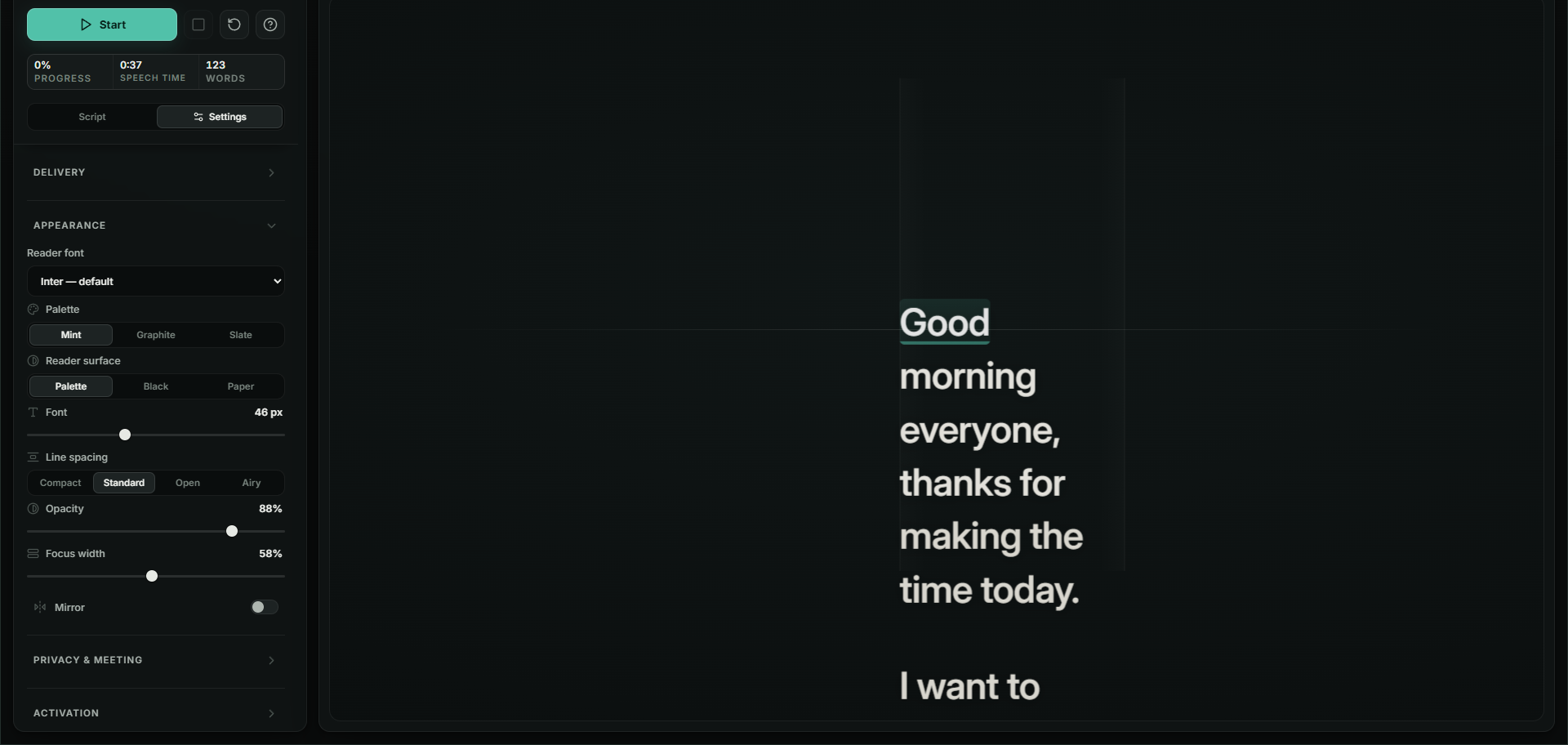
Reading positions
One person. Two people. A room.
Speaking to two people or a room? Terera can keep the script in fixed reading positions and hand over at the end of a sentence.

- 01One person
- Put the reader near your camera, so the words you read are close to the lens.
- 02Two people
- Two listeners, one panel by each face. The live panel changes at the end of a sentence, so when you turn, the words are already there. Two people means two listeners, not two presenters.
- 03A room
- Stations uses two panels, the active text and a preview, across three positions. Moving lets the reading window travel around the room.
Your script
Put the emphasis where you want it.
You know which words matter. Make them easier to find when it’s your turn to speak.


Make a mark.
Select words for bold, italics or one of four highlight colours. The colour is applied to the words themselves, not as a background behind them. Clear formatting whenever you need a clean start.
Bring what you’ve written.
Import a Word document (.docx) to keep directly applied bold, italics and text colours. Paste formatted text from Word or Google Docs. Text and Markdown files (.txt and .md) import as plain text.
Still the same words.
The formatting is for you. Voice-following uses the words, so adding emphasis doesn’t change how Terera follows your script.
Ready for your next conversation
Bring your words. Keep your presence.
USD 29 once until 30 November
Tax included. Three of your own machines. Twelve months of updates, and the installed version keeps working after that.
The way to test it is the 14-day free trial. Use Terera with your voice, your microphone and the calls you actually make, and if you buy and it isn’t right, email support@terera.app within 30 days for a full refund.